 Posts and Plugins
Posts and pages
Last reviewed
The short version
- Use a post for writing that belongs to a date, such as news.
- Use a page for things that stay the same, such as an About page.
- Posts are listed newest first. Pages are not.
- You can choose whether your home page shows your latest posts or one page.
Two kinds of content
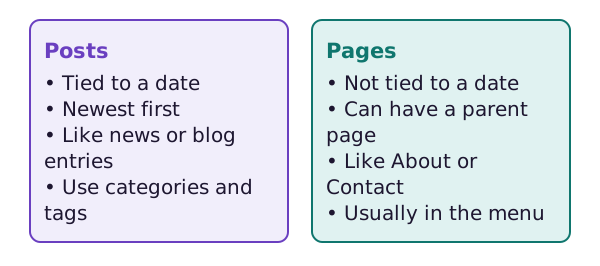
WordPress has two main kinds of content: posts and pages. Posts are time-based, like news updates. Pages are static, like an About or Contact page.[1]
Posts
A post is a piece of time-based content.[1] Think of a news item or a blog entry.
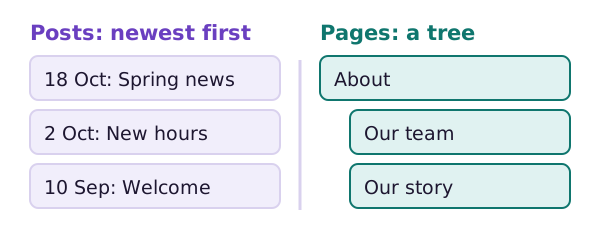
Posts show up newest first.[2] Posts are also used to make RSS feeds.[2] A feed lets people follow your site in a feed reader.
Posts use categories and tags to stay organised. The next page explains both.
Pages
A page is a permanent part of your site. People can reach it at any time.[1]
Pages are not shown newest first.[2] They can have a parent and children. A page can be the parent or child of another page, which builds a page structure.[2]
Pages traditionally do not use categories and tags.[2]
How the web addresses differ
Posts and pages often get different web addresses. A post address can include the date. A page address is usually shorter.[1]
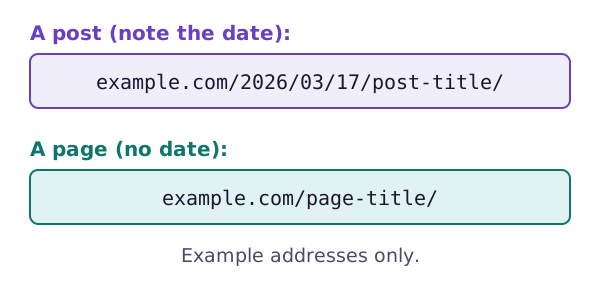
These are only examples. Your own site may build its addresses another way.
Making one
The steps are almost the same for both. Go to Posts, then Add New. Or go to Pages, then Add New.[3] The block editor opens. The editor page shows you how to use it.
What does your home page show?
Visitors reach your home page first. You choose what it shows in Settings, then Reading.
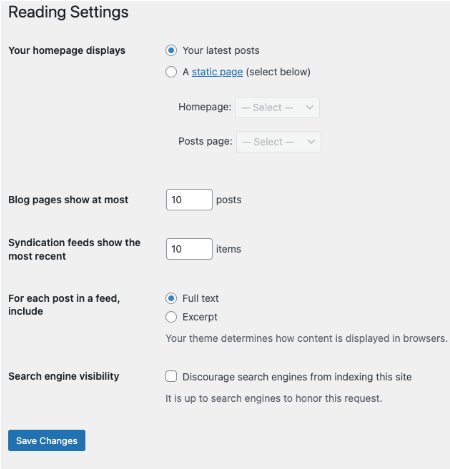
The first choice is "Your latest posts". The second is "A static page". With a static page, you pick one page for the home page. You pick another page to list your posts. These two cannot be the same page.[4]
This choice only works once you have made at least one page.[4] On the same screen you can also set how many posts show on each page.[4]
Which should I use?
Ask one question: does this belong to a date?
- A news update: use a post.
- Opening hours: use a page.
- A monthly tip: use a post.
- Your contact details: use a page.
If you are unsure, start with a page for anything that rarely changes.
Sources
- Understand pages, posts, and templates, WordPress.com Support (accessed 2026-10-18)
- What is Post Type?, WordPress.org Documentation (accessed 2026-10-18)
- WordPress Block Editor, WordPress.org Documentation (accessed 2026-10-18)
- Settings Reading screen, WordPress.org Documentation (accessed 2026-10-18)