 Posts and Plugins
Block themes and classic themes
Last reviewed
The short version
- A theme controls how your site looks.
- There are two kinds: block themes and classic themes.
- A block theme lets you edit the whole site with blocks, including the header and footer.
- A classic theme is the older style. It is still supported.
What a theme does
A theme is the design of your website. It can control colours, fonts and the whole layout.[1]
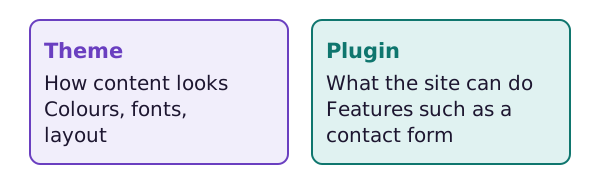
Keep this rule in mind. Themes control how content is shown. Plugins control what the site can do.[1]
Two kinds of theme
WordPress supports two main kinds of theme: block and classic.[1]
Block themes
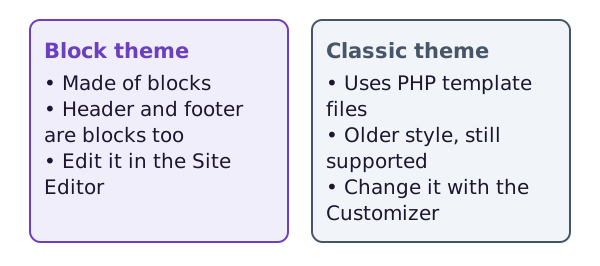
A block theme uses blocks for every part of a site. That includes the menus, the header, the content and the footer.[2] Block themes arrived in WordPress 5.9.[2] They are the modern way to build WordPress themes.[1]
With a block theme, you get these tools:[2]
- Site Editor: an editor for all parts of your site.
- Styles: choices for colours, type and layout, even for single blocks.
- Templates: the layouts that a post or page uses.
- Template parts: reusable pieces, such as a header or a footer.
You find them under Appearance, then Editor.[3]
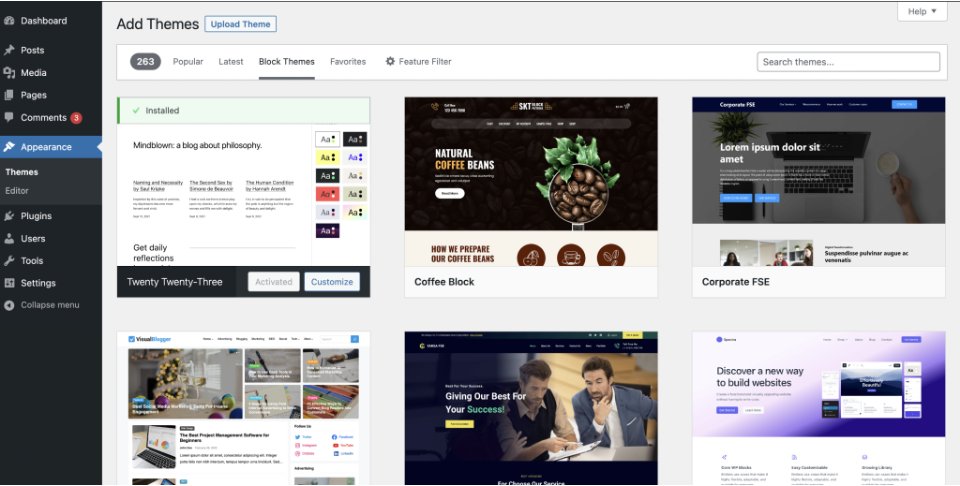
This picture shows the themes screen with block themes. The Editor entry sits in the Appearance menu.
Block themes use blocks instead of widgets. Widgets were small pieces of information you added to a theme's sidebar.[3] Block themes also do not use the Customizer unless a plugin or theme asks for it.[2] The Customizer is the older design screen.
Classic themes
Classic themes use PHP template files. They are still in wide use. WordPress still supports them.[1]
Some classic themes add modern block features. People call these hybrid themes. They are still classic themes at heart.[1]
How do I tell which I have?
Open Appearance in the admin menu. If an Editor item is there, you have a block theme.[3] If you see Customize instead, you probably have a classic one.[3]
Which kind should I pick?
You can find block themes in the official theme directory by choosing Block Themes in the toolbar.[2]
Block themes suit you if you like to try new things. They also suit you if you enjoy the block editor and want control over the whole site.[2]
Not sure? Set up a test site first. This lets you see whether a theme works for you.[2]
Where next
The next page shows how to change your theme safely.
Sources
- What Is a Theme?, WordPress Theme Handbook (accessed 2026-10-18)
- Block themes, WordPress.org Documentation (accessed 2026-10-18)
- Administration Screens, WordPress.org Documentation (accessed 2026-10-18)